07/07 2026
Soundtrack virtual tour / panorama
One of the possibilities of the TrueVirtualTours service is the ability to add sound accompaniment both for the virtual tour in general and for individual panoramas.
Storing panoramas on the website Questions and Answers Website updates

5
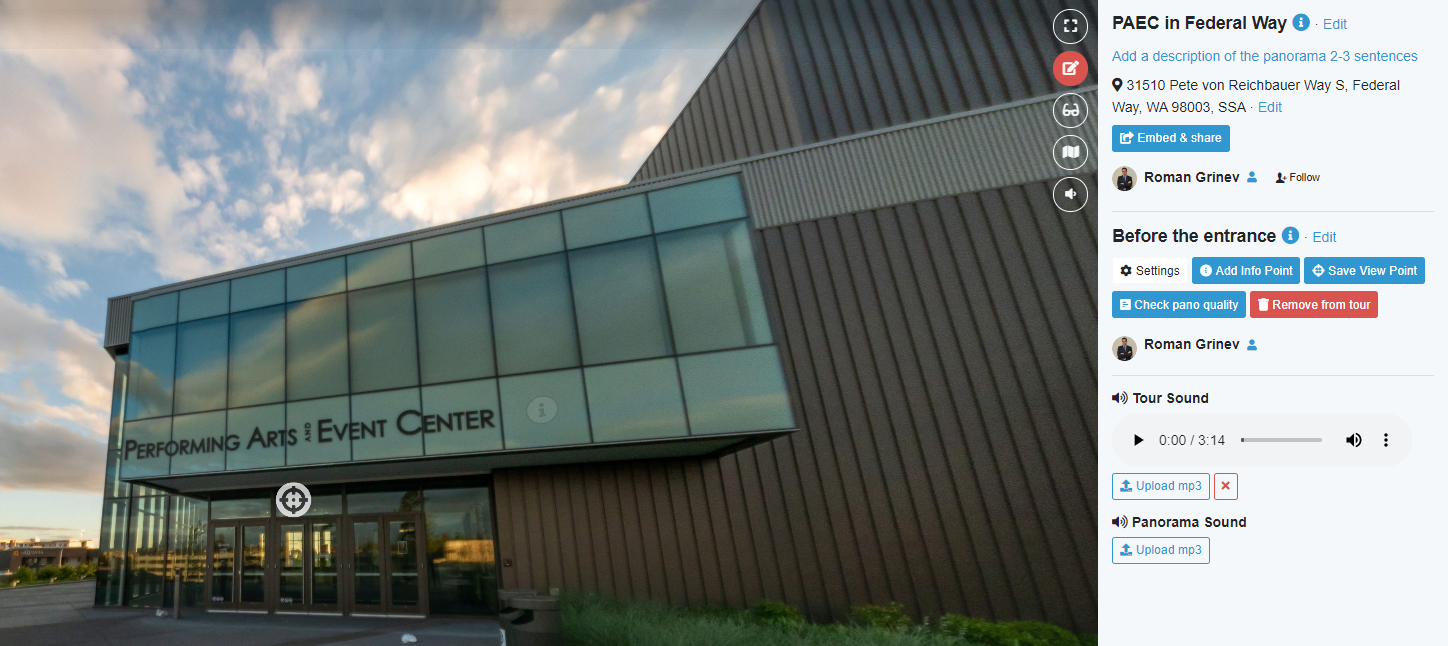
One of the possibilities of the TrueVirtualTours service is the ability to add sound accompaniment both for the virtual tour in general and for individual panoramas. This video shows an example of how you can use background music for a virtual tour in general, and voice acting for individual panoramas.
The background musical composition begins to play after the user clicked on the panorama or began to rotate it. The sound of individual panoramas is turned on when switching to a panorama. It is possible for the user to disable both background sound and playback of panorama sound files.
How to add sound to a virtual tour?
- Switch to virtual tour editing mode.
- Upload mp3 sound files for the entire virtual tour and/or for individual panoramas.
Warning. By uploading audio files to TrueVirtualTours, you confirm that you have the right to use these files. Otherwise, the sound files will be deleted from the TrueVirtualTours website.