07/07 2026
How to draw a polygon on a 360-degree panorama?
How to draw a polygon on a spherical panorama? Step-by-step instruction.
Storing panoramas on the website Questions and Answers The best

5
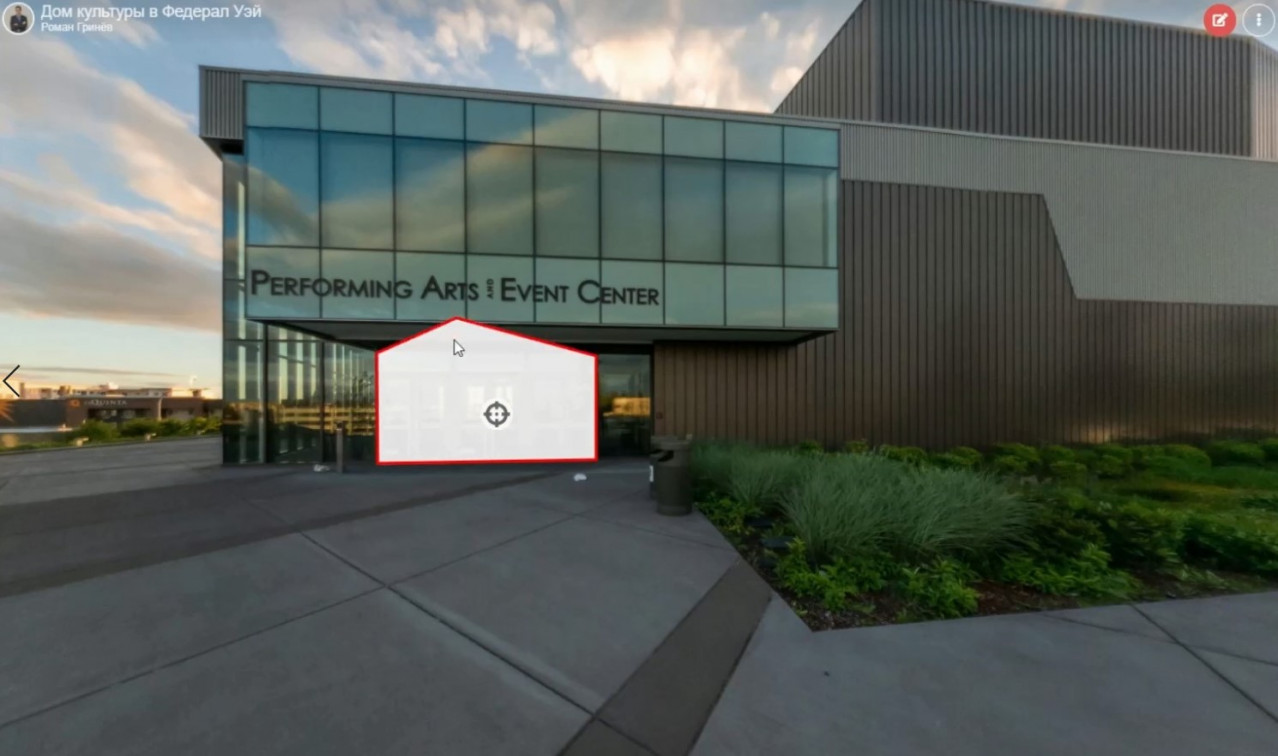
So, to add a polygon to the panorama you need.
- Add an information point to the panorama.
- Select the type of information point - polygon.
- Press the draw polygon button.
- Click on the panorama in the places where the vertices of the polygon will be.
- Press the "Spacebar on the keyboard" key to finish drawing the polygon.
- Configure other information point parameters such as title, text, link, video, image, line color, fill color, line thickness, transparency, etc. if it is needed.
- Click the "Save" button to save the changes.
That's all - the polygon on a separate panorama or on a panorama as part of a virtual tour is ready.
In the same way, you can add polygons to the map.
Watch also a video clip with an example of how to add polygons to a panorama.
If you still have questions about how to add polygons to a panorama, write to me through messages or leave comments. Thanks for reading!